- English
- Español
- Português
- русский
- Français
- 日本語
- Deutsch
- tiếng Việt
- Italiano
- Nederlands
- ภาษาไทย
- Polski
- 한국어
- Svenska
- magyar
- Malay
- বাংলা ভাষার
- Dansk
- Suomi
- हिन्दी
- Pilipino
- Türkçe
- Gaeilge
- العربية
- Indonesia
- Norsk
- تمل
- český
- ελληνικά
- український
- Javanese
- فارسی
- தமிழ்
- తెలుగు
- नेपाली
- Burmese
- български
- ລາວ
- Latine
- Қазақша
- Euskal
- Azərbaycan
- Slovenský jazyk
- Македонски
- Lietuvos
- Eesti Keel
- Română
- Slovenski
- मराठी
- Srpski језик

What LCD Display Is Right for Your Commercial Project?
The right LCD display is the one designed around its actual job: where it will operate, what the audience needs to do, how close they stand, and what the installation must withstand. A wall-mounted screen for hotel wayfinding, a touch screen LCD display for a self-service kiosk, and an outdoor double-sided retail sign may all show content, but they need very different display formats, housings, interfaces, and mounting plans.
Start with the deployment, not the screen size. That is how you avoid ordering a visually suitable display that becomes difficult to install, unreadable at the site, or impractical to service later.
Start With the Deployment: Display Location, Purpose, and User Interaction
Define the display's working conditions before comparing product categories. Indoor or outdoor placement is only the first distinction. Ask where people approach from, how long they view the screen, whether they need to touch it, and whether the unit will be exposed to public access, weather, cleaning routines, or long operating hours.
A display used for menu boards or building notices has one-way communication. A kiosk needs a different design because users must reach the touch surface, read prompts at close range, and sometimes complete a transaction or collect a printed document. For transport, retail, hotel, and public-building projects, the physical journey around the unit matters as much as the content on it.
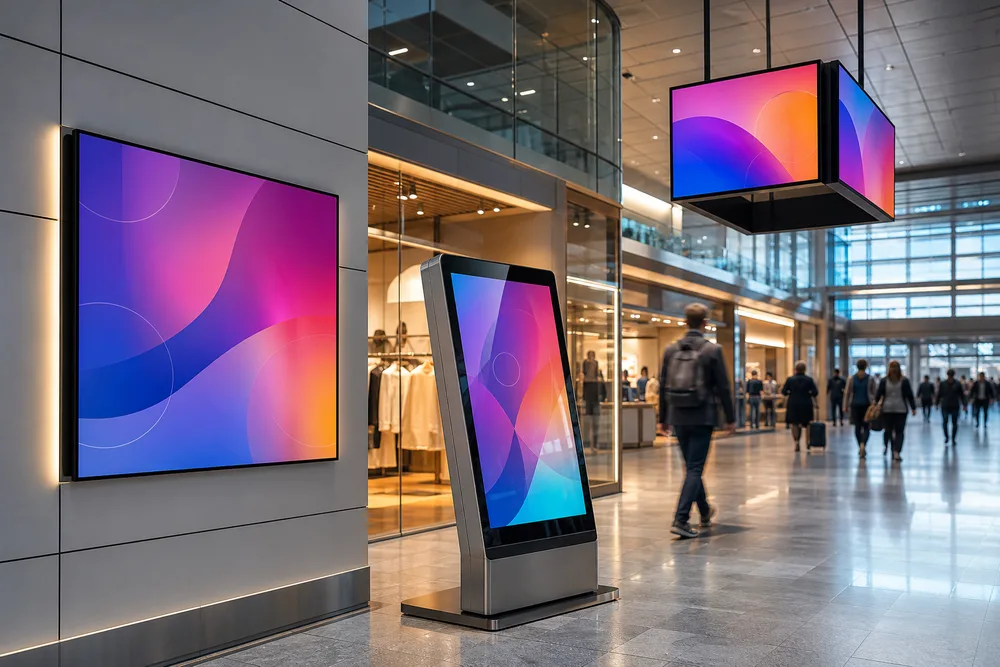
Write a short site brief that names the location, viewing direction, mounting position, intended interaction, content source, and service access. It gives a commercial LCD display manufacturer something useful to assess instead of leaving critical decisions to a catalogue image.
Match Your Application to the Right Commercial LCD Display Format
Choose the format by function first, then refine the configuration. TopAdkiosk supplies commercial display products across digital signage, monitors, open-frame screens, video walls, touch systems, kiosks, self-service terminals, and all-in-one PCs. The category is broad because commercial use is broad; forcing every project into a standard wall screen is a common and expensive mistake.
Digital Signage, Wall-Mounted Displays, and LCD Video Walls
Wall-mounted LCD digital signage suits messages that need clear, fixed presentation: promotions, directories, schedules, menus, or visitor information. Confirm the wall construction, cable route, ventilation space, and access method before deciding on a housing. A screen that fits the wall opening can still be a poor choice if nobody can reach the connections or remove it for maintenance.
Use an LCD video wall display solution when a single large visual area is more useful than one isolated screen. Video walls require early planning for screen arrangement, source management, framing lines between panels, and the mounting structure. They are best evaluated from the audience's normal viewing distance, not from a product photo taken close up.
Kiosks, Touch Screens, Self-Service Terminals, and Touch Tables
A kiosk display is part of a user interface, not simply a screen in a cabinet. The touch technology, screen angle, enclosure layout, peripheral placement, and software flow must work together. If the application includes payment hardware, a card reader, or an A4 printer, allow for replenishment, paper-jam access, cable routing, and the user's natural reach.
TopAdkiosk lists touch screen kiosks, touch game monitors, self-service terminals, touch tables, and payment kiosks among its commercial products. For a touch screen LCD display for a kiosk, describe the task in sequence: what the user sees first, what they touch, what physical device they use, and what happens if they abandon the session. That process reveals requirements a simple screen-size request will miss.
How Indoor and Outdoor Conditions Change Display Selection
Outdoor LCD display selection is driven by exposure, not by the word “outdoor” in a product name. Direct sunlight, reflected light, rain paths, airborne dust, temperature variation, vandalism risk, and the position of doors or canopies all affect the final construction. Check the site at the time of day when glare is worst. A shaded entrance can become a difficult viewing position once sunlight moves across the façade.
Viewing Conditions, Enclosure Needs, and Installation Exposure
Brightness must be assessed against the real ambient light at the screen face. Indoor displays can also need careful attention where there are bright shop windows, glazed atriums, or strong overhead lighting. Ask how content will be viewed: from several metres away, from a queue, through glass, or close enough for touch interaction.
For exposed locations, enclosure design, drainage, heat management, sealing, mounting stability, and service access deserve the same scrutiny as the panel. An outdoor kiosk installed against a wall may require a different solution from a freestanding unit on an open concourse. Share photos, a site drawing, and the planned mounting surface with the supplier. They are more useful than a vague request for an “outdoor high brightness LCD display.”
When Specialty LCD Displays Make More Sense Than Standard Screens
Specialty formats make sense when the physical setting changes how the message is seen. They should serve the installation, not act as decoration added after the design is finished.
Double-Sided, Stretched-Bar, Transparent, Curved, and Mirror Display Uses
Double-sided LCD signage is suited to windows, aisles, concourses, and other locations where viewers approach from opposing directions. It can remove the need for two separate installations, but it also needs proper planning for support, power, content orientation, and access.
Stretched-bar LCD displays fit long, narrow spaces such as shelf edges, transport information areas, architectural recesses, and certain retail fixtures. Their unusual aspect ratio changes the content brief; standard horizontal creative often looks poorly composed on these panels.
Transparent LCD display cabinets can combine product presentation with digital messaging where the merchandise needs to remain visible. Mirror LCD displays suit applications where the screen should disappear into a reflective surface until content is active. Curved LCD, QLED, OLED, transparent OLED, and 3D hologram display options can also be considered where the viewing geometry or visual concept calls for them. Each format brings content, installation, and maintenance questions that a standard rectangular screen does not.
Choose a specialty display because it solves a sightline, space, or presentation problem. If a conventional panel already communicates clearly and fits the environment, it is often the simpler choice to operate.
What to Confirm Before Ordering a Custom Commercial LCD Display
Custom work is most effective when the brief is specific. TopAdkiosk offers OEM and custom design support, along with software design support, OS upgrading, training, and online service. State what must remain fixed and what can be adapted.
- Display role: signage, video wall, kiosk, monitor, open-frame integration, or specialty installation.
- Site conditions: indoor or outdoor placement, light exposure, mounting surface, public access, and available service space.
- Physical design: target dimensions, orientation, cabinet finish, mounting method, and any surrounding structure.
- User functions: touch input, payment, printing, camera, scanner, or other peripherals required by the project.
- Content and system needs: media type, connectivity, player or operating-system expectations, remote management needs, and language requirements.
- Delivery plan: quantity, installation country, project timing, and who will install and support the equipment on site.
Buyers often overlook service access and peripheral integration until late in production. Those details affect enclosure layout early, especially for a custom LCD display used in a kiosk or wall recess.
Request a Quote With the Details Your Display Supplier Needs
Send the deployment brief, site photos, drawings where available, desired display format, quantity, and any required interaction or peripheral functions. If you are deciding between a standard screen and a custom enclosure, say so; that comparison is part of specifying the right product.
For commercial LCD display options from 7 inches to 110 inches, including indoor and outdoor signage, kiosks, video walls, touch products, and specialty formats, start your project discussion with TopAdkiosk.