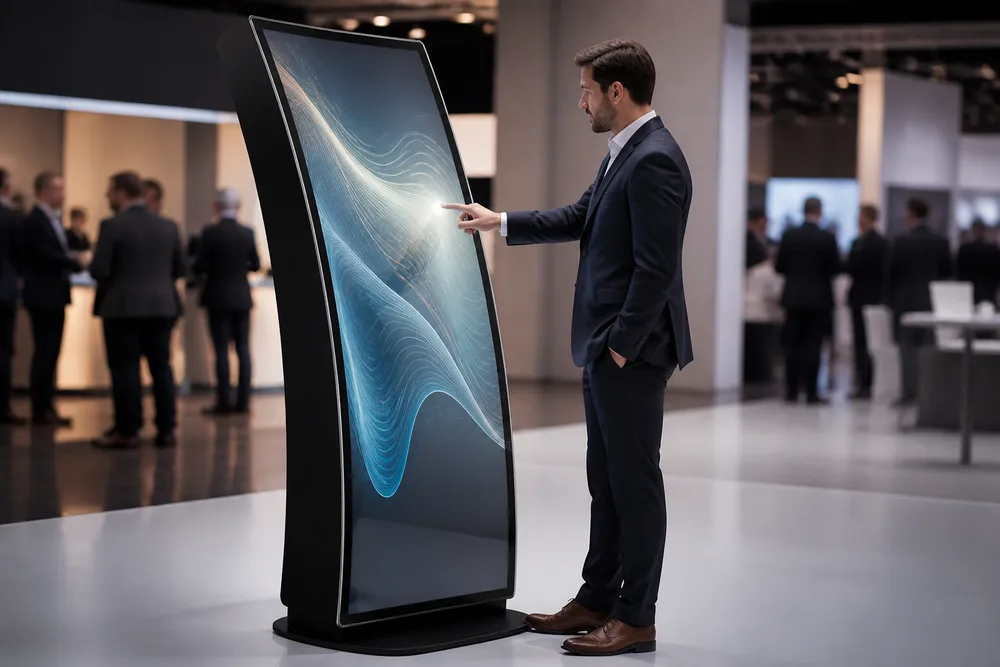
A curved interactive display can stop people in a lobby, booth or retail space—but only if the screen technology, touch method and enclosure are specified correctly. The phrase “curved LCD display” is often used loosely in the signage trade. That becomes a problem when a project team assumes it is buying a conventional curved LCD panel while the supplier page refers to a flexible OLED screen. Those are not interchangeable products, and the difference affects image behaviour, surface construction, budget and long-term support planning.
TopAdkiosk offers a floor-standing indoor curved display page under its LCD display range, with a 55-inch reference configuration, optional capacitive touch, Android or Windows, an LG panel reference, 1920 × 1080 resolution and 400 cd/m² brightness. The same page also describes a 3 mm curved flexible OLED screen. Treat that combination as a starting brief, not a final specification. Before releasing a purchase order, ask for the exact panel technology and configuration in writing.
Key Takeaways: Verify Panel Technology, Configure for Indoor Use, and Source Factory-Direct
- Confirm whether your curved display uses LCD or flexible OLED before approving drawings or pricing.
- Match the touch interface, operating system and enclosure to the actual indoor installation and user journey.
- Provide placement, content, connectivity and branding requirements early; they determine the practical configuration.
- Factory-direct sourcing can support custom projects, but only a documented final configuration prevents scope gaps.
The first buying rule is simple: do not accept “LCD display” as the whole technical answer. Curvature can be created in different ways, and panel construction matters more than a broad category label. A conventional LCD arrangement may differ materially from a flexible OLED assembly in thickness, contrast characteristics, viewing behaviour and repair strategy. Ask the supplier to identify the installed panel and state whether the quoted screen matches the product-page reference or a custom alternative.
Indoor use also needs definition. A reception feature wall, museum exhibit and exhibition stand may all be indoors, yet they place different demands on access, cable routing, ambient light, cleaning and daily operating hours. The Touch Screen Curved LCD Display should be configured around the site, rather than treated as a generic advertising player with touch added at the last minute.
Curved LCD or Flexible OLED? Product Definition and Configuration Comparison Table
TopAdkiosk’s supplied product description uses both LCD-display categorisation and a flexible OLED screen claim. That is a valid reason to pause, not a reason to guess. OLED and LCD are different display technologies. A category title can reflect a supplier’s wider signage portfolio; the panel declaration in the quotation, drawing and acceptance record should settle what is actually supplied.
The published reference is an indoor, floor-standing 55-inch unit. It lists 1920 × 1080 resolution, 400 cd/m² brightness, optional capacitive touch, Android or Windows options, and an LG panel reference. These details are useful for comparison, but buyers should not assume every custom curved screen carries the same values. Confirm the finished unit’s panel, brightness, touch stack and controller before procurement.
| Item | Published reference / claim | What you should confirm |
|---|---|---|
| Product classification | Listed as an LCD display product | The exact installed panel technology |
| Screen construction | 3 mm curved flexible OLED screen is claimed | Whether this claim applies to your quoted build |
| Display reference | 55-inch, 1920 × 1080, 400 cd/m²; LG panel reference | Final size, resolution, brightness and panel source |
| Interaction and platform | Capacitive touch optional; Android or Windows available | Touch requirement, operating system and application compatibility |
| Installation | Indoor floor-standing format | Base footprint, access panels, power and network routes |
The mistake buyers make is treating a curved face as decoration only. It changes reflections and viewing angles, and it can complicate the placement of an on-screen interface. Test the content layout against the intended standing distance and approach direction. Small navigation targets pushed toward the visual edges can feel less natural than they do on a flat monitor.
How to Specify a Custom Curved Interactive Display for Your Project
A usable specification starts with the installation, not with a screen size. Define where visitors stand, whether the display is for one person or a small group, what content runs on it, and who services it after opening day. A self-service information kiosk needs accessible interaction and a clear application path. An exhibition unit may prioritise rapid setup, visual impact and simple media playback. Those are different briefs.
TopAdkiosk describes Customized Design as its project-led configuration approach for commercial displays and kiosks. In practical terms, that means translating the deployment brief into a defined screen format, touch option, operating platform, enclosure treatment and integration scope before the unit enters production. It is not merely a logo on the front glass. The useful output is a configuration record that ties the physical cabinet, display technology and software environment to one approved request.
- Describe the location. State indoor placement, available floor area, viewing direction, lighting conditions and access for maintenance.
- Define the interaction. Specify whether touch is needed, how users will navigate, and any devices or software the display must work with.
- Select the platform. Choose Android or Windows only after confirming the application, content-management method and network policy.
- Request the final panel declaration. Ask for written confirmation of LCD or OLED technology, plus the final display and touch configuration.
- Approve the visible and physical details. Review curved geometry, finish, branding, ports, service access and the floor-standing base before production.
Do not overlook the operating system decision. Android can suit purpose-built signage applications; Windows may be necessary for a client-owned application or peripheral workflow. Neither is automatically better. What matters is who maintains the software, how updates are handled and whether the chosen platform supports the content you intend to run.
TopAdkiosk’s Custom Curved Display Manufacturing Approach for Global B2B Buyers
TopAdkiosk is a Shenzhen-based manufacturer and supplier serving international commercial display and customised kiosk buyers. Its range includes digital signage, touch kiosks, self-service terminals, touch tables, video walls, transparent and stretched-bar displays, curved displays, open-frame screens, OLED products and 3D hologram displays. That breadth is useful for buyers whose project may need a matched family of display formats rather than one isolated unit.
For a curved project, factory-direct discussion should focus on the controlled details: which panel is fitted, what touch option is included, which operating system is loaded, and what the floor-standing enclosure includes. Request a quote against an approved scope, not against a product title alone. The custom curved interactive display page is a sensible reference point, but a written configuration is the document that protects both sides.
Global buyers should also make site-readiness part of the conversation. Clarify delivery destination, local power requirements, network method, content loading responsibility and the point of contact for technical questions. A display can arrive exactly as ordered and still fail its launch because no one planned where the data cable enters the base or who owns the Windows image. Those are project failures, not screen failures.
FAQ: Is the Curved Screen LCD or OLED? Can It Include Touch and Android or Windows? What Is Required for a Quote?
Is the curved screen LCD or OLED?
The supplied TopAdkiosk page is categorised and titled as an LCD display, while its description claims a 3 mm curved flexible OLED screen. You should ask TopAdkiosk to confirm the panel technology for the exact unit quoted. Do this before comparing suppliers, because an LCD category label does not by itself establish that the delivered panel is LCD.
Can the curved display include touch and Android or Windows?
Yes. The published reference lists optional capacitive touch and Android or Windows options. Confirm which touch configuration and operating system are included in your build, then check that they suit your software, content and support plan. If your project is touch-free, say so; unnecessary interaction hardware adds cost and creates another component to support.
What is required for a quote?
Send the intended application, installation location, required quantity, target delivery market, preferred screen format, touch requirement, Android or Windows preference, branding needs and any integration requirements. Include photographs or drawings of the site where possible. Ask the supplier to return a quotation that identifies the panel technology and the final configuration rather than relying on generic catalogue wording.
Request a Curved Display Quote from TopAdkiosk
Bring a short project brief to the first conversation: where the unit will stand, what people will do with it, the content platform, quantity and target delivery location. If you are comparing a published 55-inch reference with a custom build, state that clearly and ask which details remain unchanged. The most productive next step is to get the LCD-versus-OLED question resolved in the quote, then review the enclosure and software choices against the real installation.
Start Your Curved Display Enquiry
Share your indoor application, touch and platform requirements, target market and quantity to request a configuration-led quote from TopAdkiosk.
Visit Official Website →