A curved display is not simply a flat screen bent for visual effect. In a boardroom, command centre or public-facing installation, the curve affects viewing angles, structural support, cable routes, content layout and the way multiple screens meet at their edges. Get one of those details wrong and an attractive concept can turn into visible joins, awkward sightlines or a service problem behind a wall.
A curved LCD display monitor can be specified as a single display or as part of a tiled and irregular video-wall arrangement. TopAdkiosk supplies commercial LCD display and kiosk products for projects across the USA, Europe, Southeast Asia, the Middle East, Africa and other markets, with customized OEM work for commercial, transport, hospitality, retail and service environments.
Key Takeaways for Curved Commercial Display Buyers
- Confirm the required curve, screen arrangement and viewing positions before selecting a display format.
- Panel type, bezel treatment, inputs, mounting method and service access all need to appear in the quote.
- A curved LCD video wall needs content planning; ordinary flat-wall layouts can look wrong across a curved canvas.
- Ask for approved drawings and export documentation early, especially for cross-border commercial projects.
The first buying mistake is choosing by screen appearance alone. A curved LCD monitor may suit a focused presentation position, while a multi-screen wall is normally chosen to cover a wider field of view, create a command-centre canvas or fit a defined architectural arc. Those are different jobs. The right answer starts with the room and the content, not a product photo.
Commercial buyers should also separate a desired feature from a confirmed specification. TopAdkiosk's curved display offering references Samsung or LG industrial-grade panels, IPS panel options, LED backlighting and HDMI, DVI, VGA and DP connectivity. The exact panel, interface set, dimensions, curvature, controller arrangement and installation details must be verified for the proposed build. That discipline prevents substitutions or assumptions from reaching the site.
Curved LCD Display Monitor FAQ: Panels, Video Walls, Installation and Support
Curved commercial displays draw questions that do not arise with a screen on a desktop stand. Buyers need to know where the image processing sits, what happens at panel boundaries, how the unit will be lifted into place and who can reach a failed component later. Ask those questions before a purchase order, not during commissioning. The answers depend on the selected display format and the approved installation design.
What is the difference between a curved LCD monitor and a curved LCD video wall?
A curved LCD monitor is a single display unit with a curved viewing surface. A curved LCD video wall combines multiple LCD displays into a larger visual structure, which may follow a regular arc or an irregular layout. The video wall requires attention to bezel lines, panel alignment, signal distribution, image mapping and access to each screen. A single monitor is simpler to mount and service, but it cannot provide the same physical canvas or flexible geometry as a tiled wall.
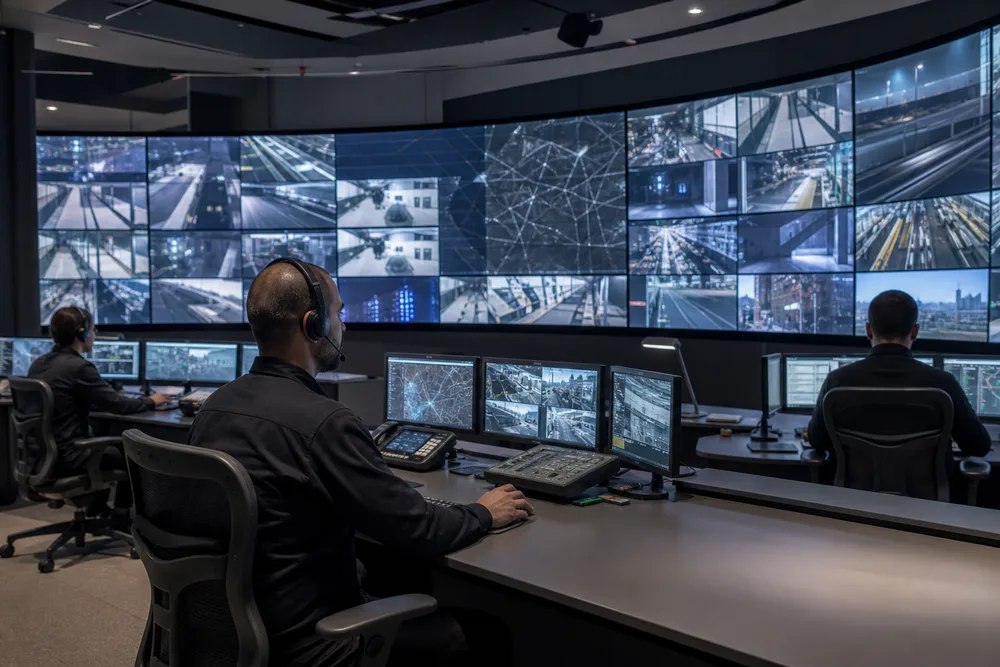
For surveillance centres, the wall format can place more information across an operator's field of view. For a meeting room or a compact information point, one curved screen may be more sensible. Do not assume that a wall automatically produces a continuous image; the panel joins remain a design consideration.
Which display specifications should be confirmed before requesting a quote?
Confirm the screen arrangement, target dimensions, curve requirement, panel preference, viewing environment, video inputs, source devices, mounting position and site power conditions. You should also state whether the display will be wall-mounted, floor-standing or hanging, and whether a video-wall controller or source management is required. For a public installation, specify operating hours, ambient light, access restrictions and any enclosure needs.
Ask for dimensional drawings that show fixing points, rear clearance, cable direction and service access. These details matter more than a generic diagonal measurement. If the project will ship internationally, identify destination requirements and documentation expectations at the quotation stage.
Curved Monitor vs Curved LCD Video Wall: Configuration Comparison and Quote-Dependent Specifications
The comparison below is deliberately practical. It distinguishes the decisions that can be made early from the details that belong in a project quote. Commercial LCD systems are often customized around the physical location, so a published product category should not be treated as a final bill of materials. The same applies to panel sourcing: an industrial-grade Samsung or LG panel reference is useful, but current component availability has to be checked against the build.
| Project factor | Curved LCD monitor | Curved LCD video wall | What to confirm in the quote |
|---|---|---|---|
| Display structure | One curved screen | Multiple displays in a curved or irregular arrangement | Overall geometry, panel count and layout drawing |
| Image planning | Single display canvas | Mapped canvas across panel boundaries | Sources, controller needs and content responsibility |
| Installation | Wall, floor or hanging option depending on design | Structural alignment and per-panel service access | Mounting method, load path and rear clearance |
| Connectivity | Input selection matched to source equipment | Signal distribution across the wall | HDMI, DVI, VGA, DP and required conversion or control equipment |
| Service planning | Access to one display and its connections | Access to individual panels without dismantling the structure | Maintenance route, spare strategy and warranty terms |
One hard truth: an ambitious curve can make maintenance expensive if the installer cannot remove or reach an inner panel. It is better to reduce visual ambition slightly than to build a display wall that requires major disassembly for routine replacement. Review a proposed curved LCD video wall configuration against the actual room plan, not a rendered concept alone.
How to Specify a Curved LCD Display Project: From Site Survey to Installation
A good specification gives the manufacturer enough information to engineer the display, while leaving no room for guesswork on site. Start with the intended viewer. Where do people stand or sit? Are they reading dashboards, advertising, wayfinding or detailed camera feeds? A curve that works beautifully for a central viewing position can be less effective for people moving past the installation at an angle.
- Survey the location. Record usable wall or floor area, structural conditions, entrances, ceiling constraints, power points, cable routes, ambient light and the path for delivery and lifting.
- Define the visual task. Provide content examples, source count, input types and the expected viewing pattern. This is where you decide if a single curved monitor or tiled display wall is appropriate.
- Set the physical configuration. Agree the curve, arrangement, orientation, mounting method and access approach. Include the rear volume required for connectors and future servicing.
- Review drawings before production. Check external dimensions, fixing locations, interfaces and visible edges against the site survey and architectural finishes.
- Plan commissioning. Assign responsibility for mounting, signal connection, image mapping, content testing and acceptance at the installed location.
Do not leave content until last. Wide data dashboards, security-camera matrices and branded video loops behave differently across a curve. If content crosses display boundaries, test the layout at the planned configuration before opening day. You can explore the relevant curved LCD display options while preparing the site brief.
TopAdkiosk Configurable Curved Display Solutions for AV, Signage and Control-Room Projects
TopAdkiosk applies a customized OEM design process to curved commercial display projects. In practical terms, that process turns a site brief into a proposed panel arrangement, mechanical installation approach, display interface plan and documentation set for buyer review. It is not merely a logo or housing exercise. A credible custom build has to account for the arc of the display, how adjacent panels align, where HDMI, DVI, VGA or DP connections terminate, and how technicians will access the equipment after installation.
The company's product range spans digital signage, LCD video walls, open-frame displays, touch kiosks, self-service terminals and other commercial display products. That breadth can help where a project combines a curved screen with nearby wayfinding, self-service or retail signage. Still, specify each device according to its duty. A surveillance centre prioritises stable source display and operational sightlines. A hotel lobby may prioritise architecture, messaging and clean integration. A transport location has different exposure and maintenance demands again.
TopAdkiosk references wall-mounted, floor-standing and hanging installations for curved display and video-wall projects. Confirm which method is suitable only after reviewing the substrate, support structure, local installation rules and access plan. The factory can support customized design, but the buyer or project integrator must provide accurate site information.
Documentation, Compliance, Warranty and Request a Curved Display Quote
Commercial display procurement becomes easier when the technical record is settled before shipment. Your quote file should connect the display configuration to the physical site, source equipment and delivery destination. That means approved drawings rather than informal screenshots, named interfaces rather than “standard inputs,” and a clear statement of what is included in mounting, processing, cabling and commissioning.
Compliance and export requirements vary by market and project type. Ask which documents can be supplied for the destination, then have the local importer, consultant or compliance team confirm applicability. Do not claim a certification requirement has been met without the supporting document for the exact supplied configuration. The same caution applies to warranty: request the coverage, exclusions, service route and process for handling a component issue in writing.
Confirming dimensional drawings, interfaces, component availability and export documents
Before issuing a purchase order, review the latest dimensional drawing against the measured site, including mounting points, connector space and maintenance clearance. List every required signal input and identify the source equipment that will feed it. Confirm the proposed panel and component availability for the production window, especially where the project depends on a specific industrial-grade panel family. For export, request the documentation list early enough to resolve destination questions without delaying dispatch.
It is also sensible to name the installation party and the person responsible for final image setup. A curved video wall has mechanical and visual acceptance criteria; both should be recorded before the equipment arrives.
Request a B2B or small-business quote at https://www.topkioskdisplay.com/contact.html
Send TopAdkiosk a short project brief with the installation country, application, preferred configuration, site photographs or drawings, desired mounting method, source interfaces and expected order timing. If you do not yet know the final screen layout, describe the available space and viewing purpose instead. That gives the sales and engineering team a workable starting point for a B2B, wholesale or small-business quotation.
Start with the site brief, not a generic screen list
Share your room layout, display purpose, mounting preference and signal requirements to discuss a configurable curved LCD display or video-wall project with TopAdkiosk.
Visit Official Website →