A curved display can stop traffic in a hotel lobby, flagship retail store, or transport concourse. It can also become an expensive fit-up problem if the panel technology, enclosure drawings, media-player arrangement, and freight plan are still vague when the purchase order goes out. For US commercial buyers, the first job is not choosing a screen size. It is making sure the quoted product is the product your site, content team, and facilities staff can actually support.
Key Takeaways for Buying a Curved Indoor Commercial Display
- Confirm whether the quoted curved screen uses LCD or OLED technology before comparing price, finish, or lead time.
- Match the floor-standing enclosure to the actual floor condition, traffic pattern, power location, and service-access route.
- Choose touch and playback hardware around the use case; an advertising loop and a wayfinding interface need different support plans.
- Get approved drawings, packing details, warranty terms, and US import responsibilities in writing before release.
The most useful buying discipline is to treat the display as a site-installed system, not a loose screen. TopAdkiosk describes a TopAdkiosk project-based customization process: the commercial display is configured around the requested form factor, panel option, touch requirement, operating platform, and project quantity rather than sold as a fixed consumer SKU. In practice, that means the buyer needs to lock down the approved configuration document. A product photo cannot tell your installer where the access panel sits, how the unit is stabilized, or what must be removed for service.
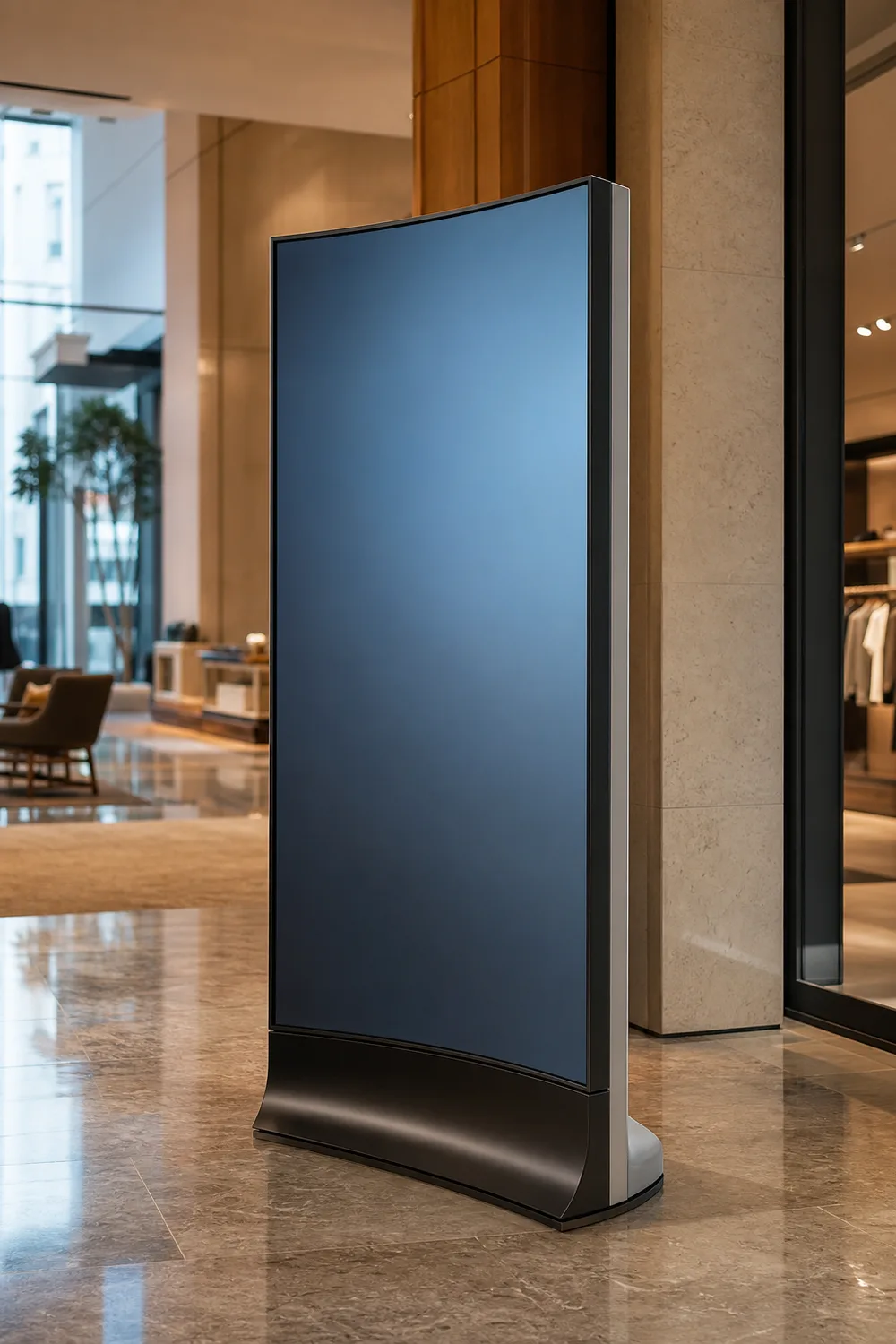
TopAdkiosk’s featured product page references an indoor, floor-standing curved flexible OLED display in 55-inch and 65-inch formats, with optional capacitive touch, Android or Windows options, an LG panel reference, 1920×1080 resolution, and a stated three-year warranty. The same page also uses LCD and OLED terminology inconsistently. That is not a detail to ignore. Ask for the exact panel technology and final bill-of-materials description in the quote. You can start with the manufacturer’s curved LCD display digital signage product page, then turn its listed options into project-specific confirmation points.
LCD vs. OLED Curved Displays: What US Buyers Should Confirm Before Quoting
Curved LCD display and curved OLED display are not interchangeable labels. LCD panels use a backlight behind the liquid-crystal layer. OLED pixels emit their own light. That difference affects black level, viewing character, physical construction, power behavior, image retention considerations, and often price. Curvature adds another issue: some display assemblies are made for a particular radius or enclosure concept, while others may have a different degree of mechanical flexibility. You should never infer either point from a curved product rendering.
For the TopAdkiosk listing, the sensible approach is simple: acknowledge the page’s LCD/OLED wording conflict and require clarification before you quote the unit to your customer. Ask for the panel make and model, panel technology, display dimensions, curvature description, and confirmation that the enclosure shown matches the proposed panel. If panel branding matters to your client, have it stated on the commercial document rather than relying on a general LG reference on a webpage.
| Question to resolve | Why it changes the project | What to request |
|---|---|---|
| LCD or OLED? | Image performance, construction, operating considerations, and cost can differ materially. | Exact panel technology, manufacturer, and model on the final quote. |
| What curve is being supplied? | The unit must suit the intended viewing path and enclosure location. | Dimensioned drawings and a written curvature description. |
| Is touch included? | Touch changes the front-stack, user workflow, cleaning plan, and commissioning scope. | Touch type, interface arrangement, and test criteria. |
| Which playback platform is included? | Your CMS, app, security policy, and field-support method depend on it. | Android, Windows, or external-player configuration and responsibility split. |
Do not assume OLED is automatically the better choice, or that LCD is automatically the safer choice. The right answer follows the viewing environment, intended daily operation, content style, budget, and replacement strategy. What matters first is that every stakeholder is pricing the same technology.
How to Specify a Curved Floor-Standing Digital Signage Display for Your Installation
A floor-standing curved display lives or dies by installation details. The usual failure is not an exotic electronics issue. It is a unit arriving with a base footprint that conflicts with a millwork plinth, a cable exit on the wrong side, or service access blocked by a finished wall. Indoor does not mean carefree, either. A busy lobby brings carts, vacuum equipment, children, baggage, and cleaning crews into contact with the enclosure every day.
Build your request around site facts, then ask TopAdkiosk to return drawings that your architect, general contractor, AV integrator, and facilities lead can review. The published product references 55-inch and 65-inch options, but physical envelope—not diagonal size alone—determines if the unit belongs in the location. Use the following sequence before approving a curved commercial display:
- Document the location. Provide photos, finished-floor details, available power, network path, nearby doors, sprinkler constraints, and the route from receiving to final placement.
- Define the audience and content. State viewing distance, traffic direction, portrait or landscape expectation if applicable, interactive versus passive use, and the type of media your team will publish.
- Request a dimensioned submittal. Review overall dimensions, base arrangement, cable entry, access doors, display orientation, and any site anchoring or stabilization requirements.
- Assign system ownership. Identify who supplies content, CMS access, network credentials, application support, onsite commissioning, and first-line troubleshooting.
- Approve packaging and delivery handling. Confirm crate dimensions, shipping marks, unloading needs, damage-inspection procedure, and who carries the unit after arrival.
If you are quoting a custom rollout, send these inputs alongside your inquiry for a curved floor-standing digital signage configuration. It shortens the clarification cycle and prevents the supplier from filling gaps with assumptions your site cannot accommodate.
Curved LCD Display Digital Signage FAQ: Technology, Touch, and Content Playback
Technology choices should follow the job the display is expected to do. A passive brand loop in a hotel entrance may only need dependable scheduled playback. A museum exhibit, retail catalog, or check-in experience may need touch response, application compatibility, content recovery procedures, and a clear plan for who supports the software after opening day. Buyers often spend their time on the curved visual effect and leave these operational questions until the equipment reaches the site.
TopAdkiosk lists optional capacitive touch and Android or Windows options for its featured unit. Those are useful starting points, not a complete specification. Confirm the final operating environment, input and connectivity needs, remote-management approach, and the handoff boundary between the display supplier, software provider, and US integrator. An external media player may be the cleanest answer if your organization already has a standardized player and CMS fleet.
Is a curved LCD display the same as a curved OLED display?
No. A curved LCD display uses an LCD panel and backlight assembly; a curved OLED display uses self-emissive OLED pixels. They can both be presented in floor-standing digital signage, but they are distinct display technologies with different panel behavior and construction. TopAdkiosk’s featured page contains both LCD and OLED language, while describing a flexible OLED configuration. Ask the supplier to identify the technology on the pro forma invoice, technical submittal, and approved drawing package before payment or production release.
Should I choose capacitive touch, Android, Windows, or an external media player?
Choose capacitive touch only if the experience requires users to interact at the screen. It adds value for directories, product discovery, and guided information, but it also requires a usable interface, cleaning routine, and field test plan. Android can suit dedicated signage playback or a controlled app environment. Windows may fit applications that require a Windows-based program or existing enterprise support. An external media player is often the best choice where you need to keep player hardware, CMS licensing, and replacement procedures consistent across many locations. Confirm compatibility before ordering; the product page lists these options but does not define every software or peripheral requirement.
TopAdkiosk Custom Commercial Display Projects: US Documentation, Lead Time, Shipping, and Service FAQ
International display procurement gets difficult in the last ten percent: final drawings, packaging records, import documentation, freight handoff, and who responds when a screen arrives damaged or a field issue appears. TopAdkiosk is a Shenzhen-based manufacturer and supplier that positions its display products for customized, bulk, wholesale, and project buyers. That can be a good fit for commercial programs, but a US buyer should make the transaction documents do the work that casual email promises cannot.
Lead time, minimum order quantity, shipping method, and destination charges are not supplied in the provided product context, so they should be requested for the exact configuration and quantity. The same goes for US compliance documentation. Do not write “certified” into a bid based on a category assumption. Specify the project’s required standards, labeling, electrical requirements, and jurisdictional approvals, then ask which documents apply to the proposed configuration. A three-year warranty is stated on the featured page; get the coverage scope, claim procedure, replacement-part policy, and freight responsibility confirmed in writing.
What should US buyers confirm about drawings, panel branding, compliance, packaging, MOQ, lead time, and warranty?
Confirm a dimensioned drawing revision, the exact panel technology and branding, the final enclosure finish, and all selected options before production. Request applicable compliance documents for your project rather than assuming they exist. Ask for crate or carton information, shipping marks, damage-reporting instructions, MOQ, production lead time, shipping terms, and the named party responsible for customs clearance and inland delivery. For the stated three-year warranty, confirm what is covered, what evidence is needed for a claim, where service is performed, and how replacement components or units are shipped. These questions are ordinary procurement controls, not signs of distrust.
Keep one approved configuration sheet attached to the purchase order. It should match the drawings, quote, panel description, touch choice, operating platform, packaging expectation, and warranty language. That single practice avoids many of the disputes that appear months later as “we thought it included” problems.
Request a Curved Display Configuration and Project Quote from TopAdkiosk
Send a concise project brief, not just a request for a unit price. Include the intended installation location, target quantity, desired delivery window, site photos, content/playback preference, touch requirement, and the documents your procurement team must receive. If the job is replacing an existing display, include the old unit’s envelope and cable path. That information is more useful than a generic request for the “best model.”
For a US project, ask TopAdkiosk to identify the exact LCD or OLED configuration first, because the page’s terminology requires clarification. Then request a quote tied to a drawing revision and a written list of inclusions. Review that package with the people who will install, network, operate, and service the display—not only the person approving the budget. Visit the official product page to begin the conversation and attach your project brief to the inquiry.
Request Your Curved Display Configuration
Share your quantity, site conditions, touch and playback requirements, and drawing needs so the proposed commercial display can be confirmed before production.
Visit Official Website →